UI/UX · hardware
The best ears in the house are already in a drawer somewhere.
Smart displays were built around one hard problem: hearing you from across a noisy room while they play music. The first-generation Echo Show 8 solves it with a far-field microphone array, a good speaker and an 8-inch screen, and it's easy to find secondhand for not much money.
So we've built a pathway to repurpose it: reflash it with LineageOS, add echo cancellation, and run the Anamanti Display app. No Amazon account and no Amazon cloud. Read the install guide.
It's one option, not a requirement. The Core speaks an open protocol, so you can use whatever you want for the UI: a phone, a tablet, a TV, a Raspberry Pi or something you build yourself. See the options below.
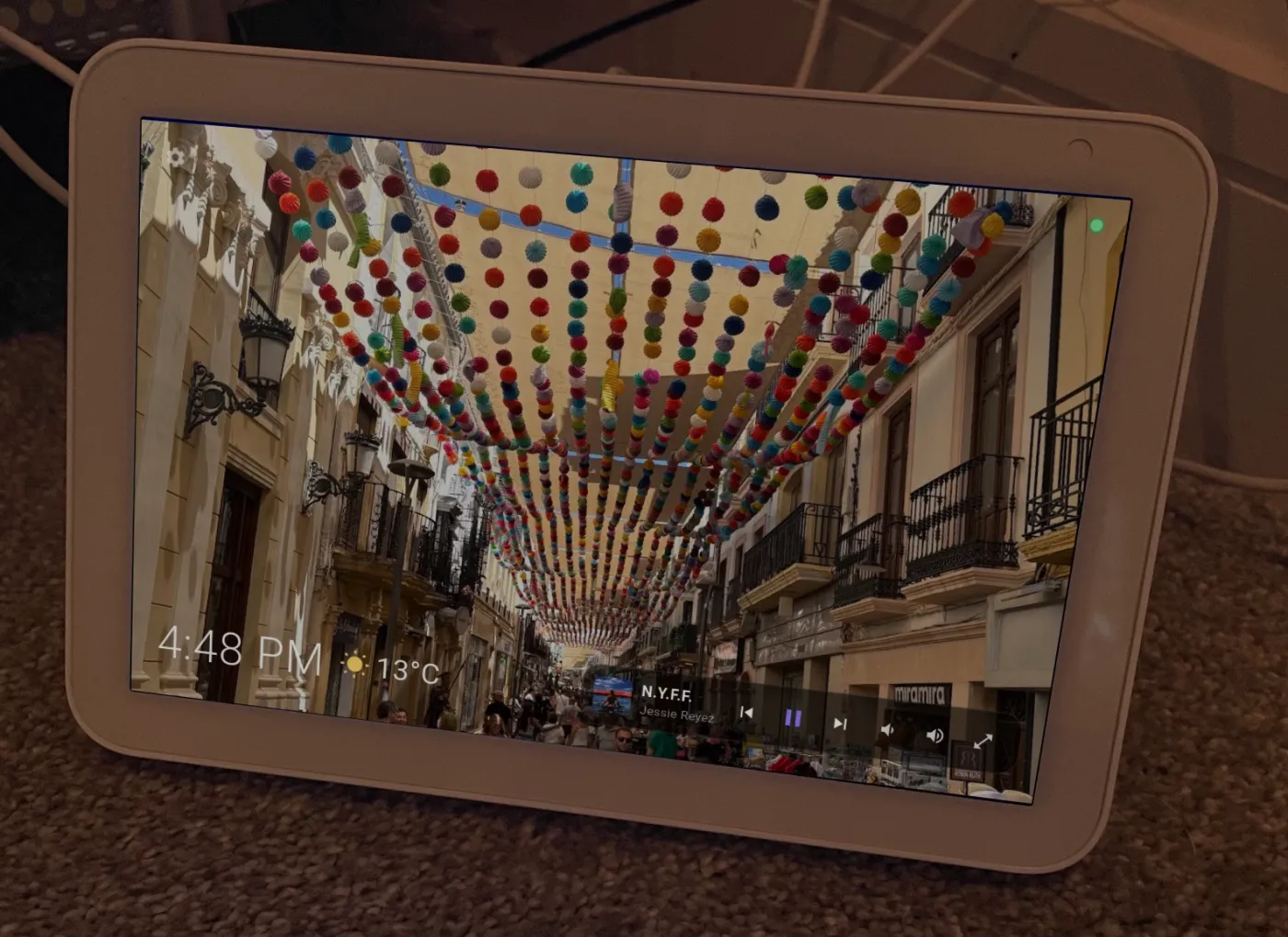
Photo: Fitzyraz, CC BY-SA 4.0, via Wikimedia Commons; cropped, with an Anamanti screenshot composited onto the screen. This image is shared under the same licence.

Why an Echo Show 8
Microphones are the hard part. Amazon already solved them.
A tablet's microphone is designed for someone holding it. A smart display's is designed for someone talking from the sink with the tap running. The Echo Show 8 has four microphones aimed at the room, plus a hardware loopback of what its own speaker is playing, delivered sample-aligned in the same capture stream.
That loopback is what makes barge-in work. A small audio-driver shim runs echo cancellation against the speaker's output before any app hears the mic, removing about 16 dB of the assistant's own voice while keeping yours. So when you interrupt mid-answer, it hears you clearly, not itself.
Then there's everything else a kitchen needs: a speaker that's good enough for music, a bright 1280×800 screen, a camera with a physical shutter (used only to sense whether anyone is in the room and whether the lights are on), and a stand that's already the right shape.
| Echo Show 8 (1st gen) as we run it | |
|---|---|
| Codename | “crown” |
| OS | LineageOS (Android 11), community build |
| CPU target | 32-bit ARM (armeabi-v7a) |
| Memory | About 1 GB, which is why the audio engine is Rust |
| Screen | 8″, 1280×800, landscape |
| Microphones | 4-mic far-field array + DAC loopback, 16 kHz |
| Echo cancellation | SpeexDSP audio-driver shim, about 16 dB (reversible) |
| Camera | Presence and light only; nothing stored or sent |
| Updates | The app updates itself (signed and checksum-verified) |
Reflashing is done by the community LineageOS port for this device, and it replaces Amazon's software entirely. Step-by-step install guide, with sources → Anamanti isn't affiliated with Amazon.
Tuned per room
One device, very different rooms.
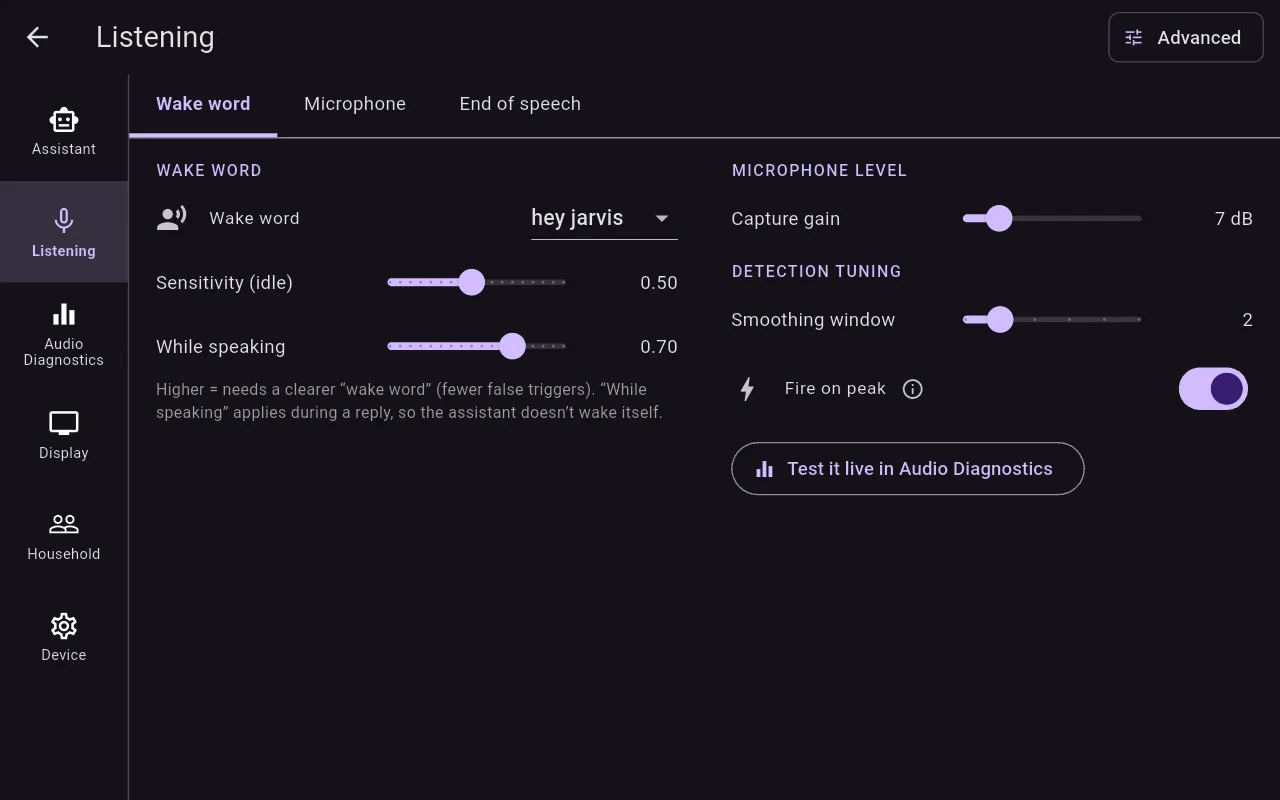
A front hall and a kitchen sound nothing alike. Each display has its own capture gain, wake-word sensitivity (one for idle and a stricter one while it's speaking), smoothing, and a live diagnostics view that shows exactly what the mic hears.
The display never decides when you've finished talking. That's done on the Mac by a neural speech detector, so a cheap, memory-tight device isn't being asked to do the hard part.
Bring your own screen
Use whatever you want for the UI.
The Echo Show is our favourite front end, but it isn't required. All the intelligence is in the Core, and the Core speaks an open, documented protocol. A front end only has to capture audio, play audio and draw what it's told to.
Built
Echo Show 8
The full experience: far-field mics, echo cancellation, every screen on the Display page.
Built · in testing
Your phone
The Companion app for Android and iOS shows status, now playing, timers and memories, from anywhere on the home network. It has no microphone.
Studied
Android tablets & TV
The Display app is standard Flutter and Android. A TV port is mostly mechanical. The real limit is the microphone: few screens can hear across a room.
Open
Your own client
A Raspberry Pi with a mic HAT, a wall-mounted panel, a web page: anything that speaks Wyoming over TCP can be a room.
How a client talks to the Core
Discovery: the Core advertises _wyoming._tcp over mDNS with a TXT record of role=core, so clients find it without any IP addresses. They can pin a specific Core by its stable instance_id.
Turns: one socket per turn carries your audio up and the transcript, reply text and spoken audio back, as newline-delimited JSON frames with raw PCM.
Push: a second, long-lived socket that the client opens lets the Core send notifications, weather, music and camera requests at any time.
The frame definitions live in one shared Rust crate, so the Display, the Companion and the Core can't disagree about the protocol.